
 John
John
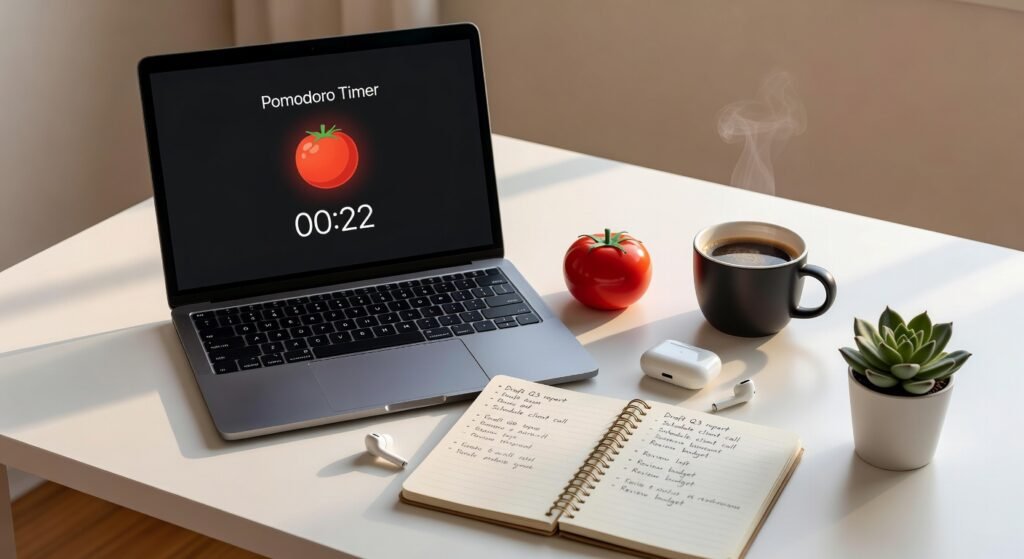
You sit down to work. You open your laptop. Then — somehow — 45 minutes disappear into a rabbit hole of notifications, random tabs, and the sudden urge to reorganize your desk.
Sound familiar?
Procrastination isn’t a character flaw. It’s a neurological response to tasks that feel overwhelming, ambiguous, or just plain boring. Your brain is hardwired to seek immediate reward — and a looming deadline rarely feels rewarding enough to compete with a quick scroll through Instagram.
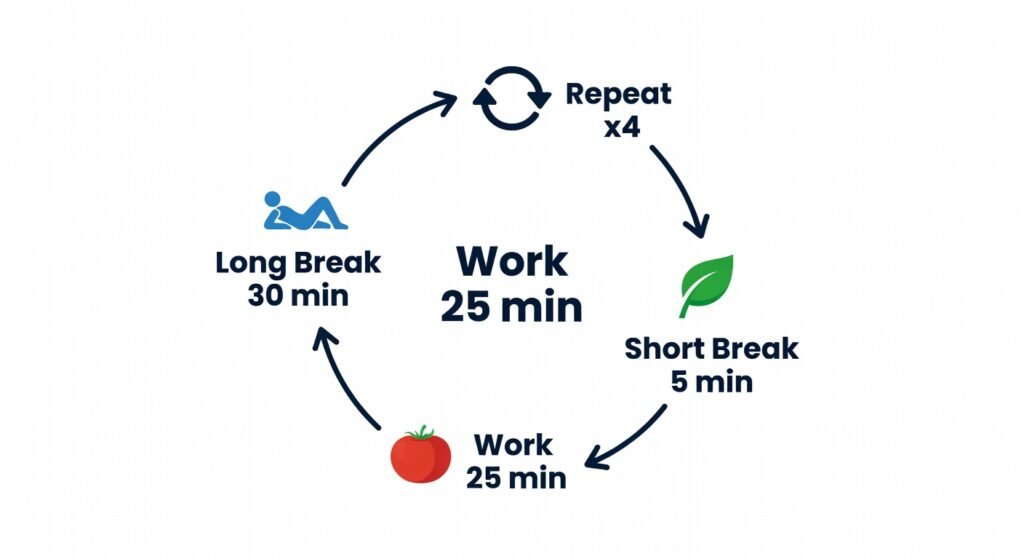
That’s exactly why the Pomodoro Technique has become one of the most battle-tested productivity frameworks in existence. Simple premise: work in focused 25-minute sprints, take a 5-minute break, repeat. After four rounds, take a longer 15–30 minute break.
The brilliance? It tricks your brain into starting. And starting is the hardest part.
But the technique only works if you actually track it. Finding the best pomodoro apps for productivity changes everything; they don’t just run a timer — they eliminate distractions, build accountability, and turn focused work into a sustainable daily habit.
Here are the seven best, reviewed and ranked for students, freelancers, and remote workers who are serious about reclaiming their time.
Why the Pomodoro Technique Works (The Science in 60 Seconds)
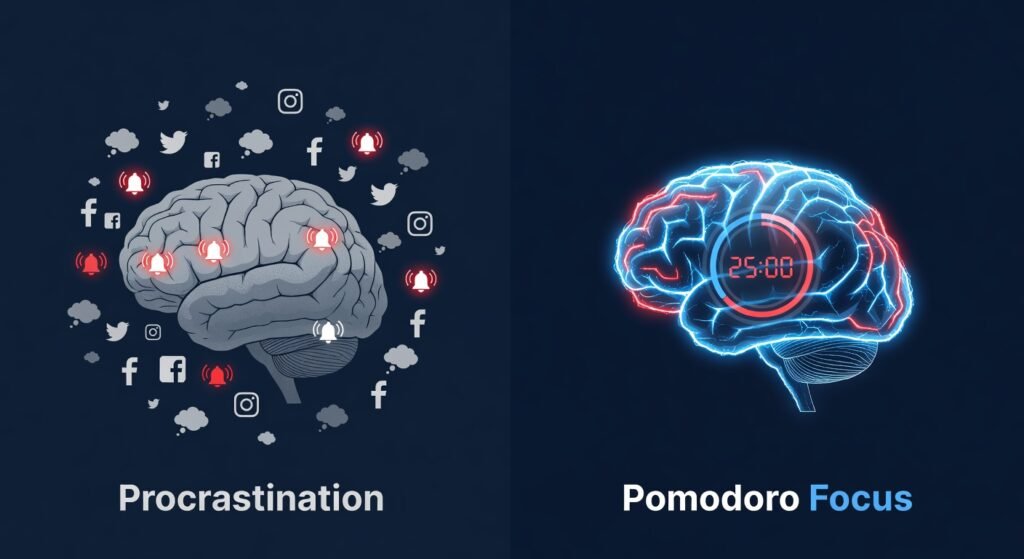
Before diving into the apps, it’s worth understanding why this method is so effective — especially when it’s backed by the right tools.
The Pomodoro Technique leverages two powerful psychological principles:
- Parkinson’s Law: Work expands to fill the time available. By constraining work into 25-minute blocks, you create artificial urgency that sharpens focus.
- The Zeigarnik Effect: Your brain remembers unfinished tasks more vividly than completed ones. Starting a Pomodoro creates an open loop that drives you to finish.
When you pair these principles with a dedicated focus app, you add structure, data, and visual accountability — three things that dramatically increase follow-through.
Quick Comparison: Best Pomodoro Apps for Productivity at a Glance
| App | Platform | Free Plan | Best For | Standout Feature |
|---|---|---|---|---|
| Focus To-Do | iOS, Android, Windows, Mac | ✅ Yes | Task + timer combo | Built-in task manager |
| Forest | iOS, Android, Web | ✅ Limited | Visual motivation | Plant real trees |
| Toggl Track | iOS, Android, Web, Desktop | ✅ Yes | Freelancers | Time reporting & billing |
| Be Focused | iOS, Mac | ✅ Limited | Apple users | Clean UI, iCloud sync |
| Pomofocus | Web | ✅ Yes | Minimalists | Zero-friction browser tool |
| Flow | Mac, iOS | ❌ Paid | Power users | Deep customization |
| Session | Mac, iOS | ❌ Paid | Professionals | Focus analytics + coaching |
The 7 Best Pomodoro Apps for Productivity Reviewed
To help you choose the right tool, we have analyzed the market to find the best pomodoro apps for productivity based on features, design, and user experience. Here is our deep dive into the top options.
1. Focus To-Do — Best All-in-One Pomodoro Timer App
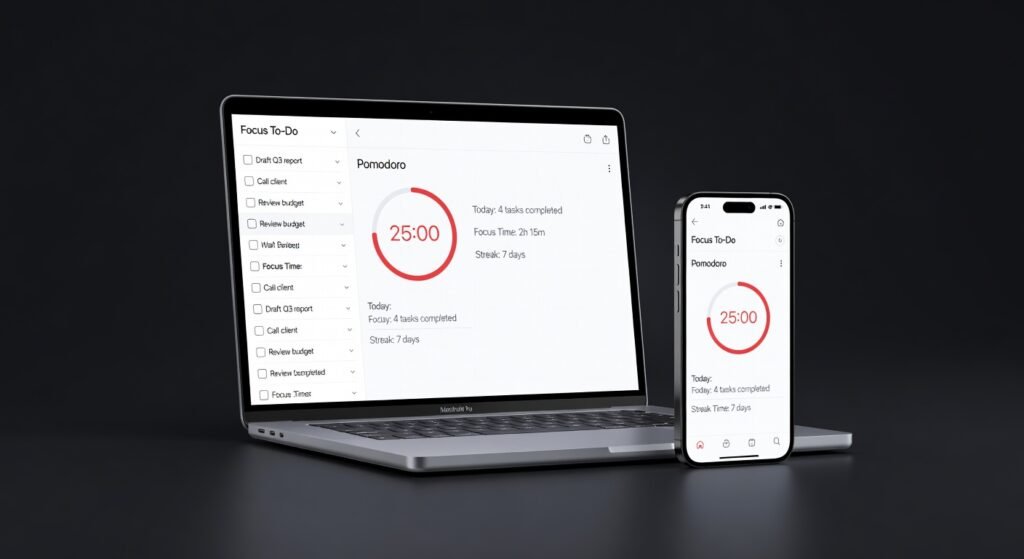
If you want one app to rule them all, Focus To-Do is it.
It merges a full-featured task management system with a Pomodoro timer — so you’re not just tracking time, you’re attaching that time to specific tasks. Every focused session is logged against a to-do item, giving you a crystal-clear picture of where your hours actually go.
Key Features:
- Full task manager with subtasks, due dates, and priorities
- Customizable Pomodoro intervals (work and break durations)
- Detailed productivity statistics and daily/weekly reports
- Cross-platform sync (iOS, Android, Windows, Mac)
- White noise and ambient sound library built in
Best For: Students juggling multiple assignments and freelancers managing complex client projects simultaneously.
Pros:
- ✅ Combines task management + time tracking in one place
- ✅ Excellent cross-platform availability
- ✅ Clean, distraction-free interface
- ✅ Built-in ambient sounds for deep focus sessions
Cons:
- ❌ The free version has limited cloud sync
- ❌ Premium plan required for advanced statistics
The Nexus Feed Verdict: If you do one thing today — download Focus To-Do. It’s the most complete Pomodoro productivity app available without spending a cent to get started.
2. Forest — Best Pomodoro App for Visual Motivation

Forest turns your focus sessions into something genuinely beautiful.
Every time you start a Pomodoro timer, you plant a virtual tree. Stay focused, and it grows. Pick up your phone to scroll Instagram? It dies.
That visual consequence is surprisingly powerful. Forest has helped millions of users develop phone-free focus habits through a mechanic that feels more like a game than a productivity tool.
And here’s the kicker: Forest partners with real tree-planting organizations. Earn enough virtual coins through focused sessions, and you can fund the planting of actual trees on Earth. Productivity with a purpose.
Key Features:
- Virtual forest grows with every completed Pomodoro session
- Real tree planting through earned in-app coins
- Team focus mode for collaborative accountability
- Whitelist feature to allow specific apps during focus
- Detailed focus history and statistics
Best For: Students who struggle with phone addiction and anyone who needs a visual, emotionally engaging motivation system.
Pros:
- ✅ Uniquely motivating — the “killing the tree” consequence is remarkably effective
- ✅ Real-world environmental impact
- ✅ Team/group focus sessions for accountability
- ✅ Beautiful, calming interface
Cons:
- ❌ Limited task management features
- ❌ Full functionality requires the paid version ($1.99 one-time on Android, higher on iOS)
- ❌ Web blocking is limited on mobile without additional tools
The Nexus Feed Verdict: Forest is the best focus app for people who respond to visual and emotional feedback. It makes discipline feel rewarding.
3. Toggl Track — Best Pomodoro App for Freelancers
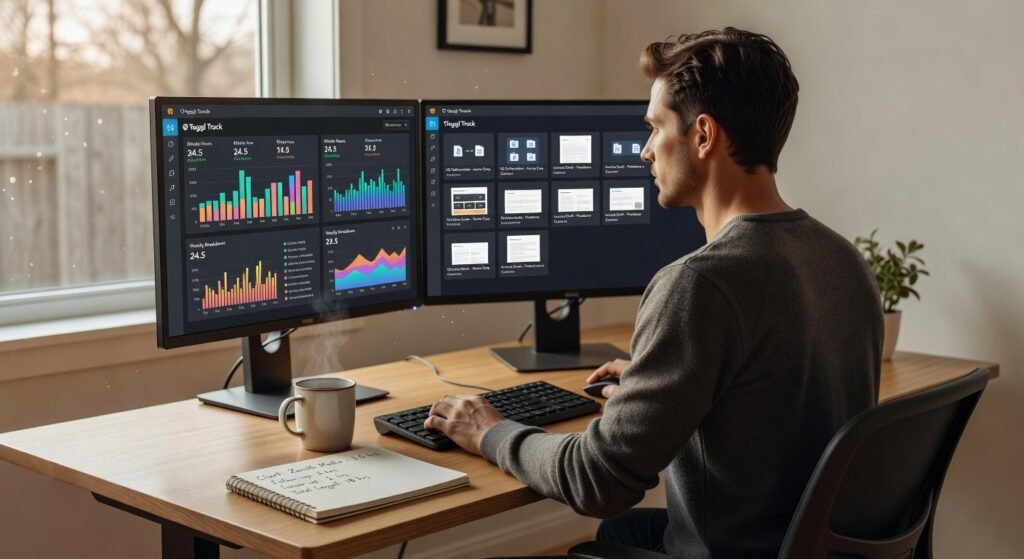
Toggl Track isn’t exclusively a Pomodoro app — it’s a professional time-tracking platform that happens to integrate Pomodoro functionality seamlessly.
For freelancers and remote workers who bill by the hour or need to prove their time to clients, Toggl Track is in a category of its own.
Key Features:
- One-click time tracking with Pomodoro mode
- Detailed time reports exportable to PDF/CSV
- Project and client tagging for organized billing
- Browser extension for tracking time on any website
- Integration with 100+ tools (Asana, Trello, Jira, Slack)
Best For: Freelancers, consultants, and remote workers who need to track billable hours alongside their focus sessions.
Pros:
- ✅ Industry-leading time reporting capabilities
- ✅ Generous free plan (unlimited tracking, unlimited projects)
- ✅ Seamless integration with major project management tools
- ✅ Available across all major platforms and browsers
Cons:
- ❌ The Pomodoro mode is secondary — less refined than dedicated timer apps
- ❌ Interface can feel complex for simple use cases
- ❌ Advanced billing features require a paid plan
The Nexus Feed Verdict: If time is literally money in your business, Toggl Track is the time management app you need. Pair it with Forest or Be Focused for the ultimate freelancer productivity stack.
4. Be Focused — Best Pomodoro App for Apple Users
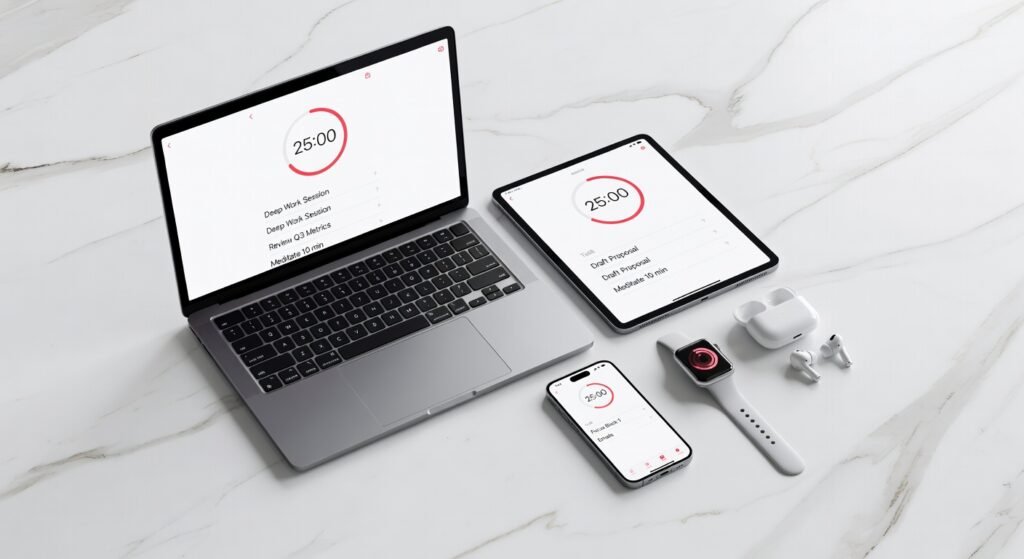
If you’re deep in the Apple ecosystem, Be Focused is purpose-built for you.
It’s clean, minimal, and syncs effortlessly across iPhone, iPad, and Mac via iCloud. No bloat. No unnecessary features. Just a beautifully designed Pomodoro timer that does exactly what it promises.
Key Features:
- Fully customizable work/break intervals
- Task list with time estimates per task
- iCloud sync across all Apple devices
- Detailed focus reports and goal tracking
- macOS menu bar widget for distraction-free access
Best For: Mac-first professionals, writers, and designers who prioritize a clean, native-feeling experience.
Pros:
- ✅ Seamless Apple ecosystem integration
- ✅ Extremely clean, distraction-free interface
- ✅ Native macOS and iOS design — feels like it belongs on your device
- ✅ Task list with time estimates keeps sessions purposeful
Cons:
- ❌ Apple-only — no Android or Windows support
- ❌ Limited reporting in the free version
- ❌ Less feature-rich than Focus To-Do for complex projects
The Nexus Feed Verdict: For Mac users who want a best-in-class Pomodoro app that feels native and looks gorgeous, Be Focused is the clear choice.
5. Pomofocus — Best Free Browser-Based Pomodoro App
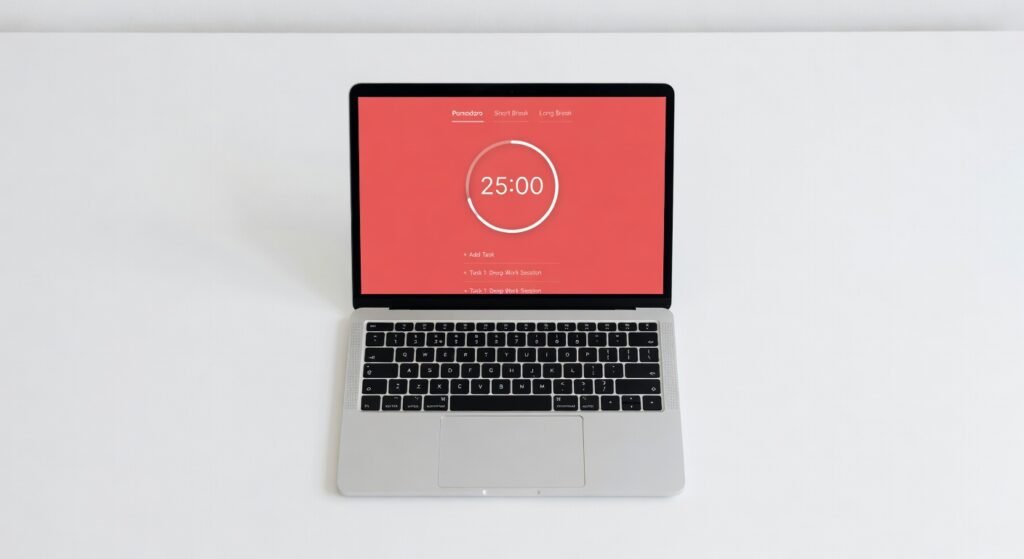
Sometimes the best tool is the simplest one.
Pomofocus is a free, browser-based Pomodoro timer with zero friction. Open the website, add your tasks, start the timer. That’s it.
No account required. No downloads. No subscription.
Key Features:
- Browser-based — works on any device with internet
- Simple task list integrated with the timer
- Customizable Pomodoro/break durations
- Audio notifications for session transitions
- Basic report showing daily Pomodoro count
Best For: Minimalists, beginners trying the Pomodoro technique for the first time, and anyone who wants instant, zero-commitment access to a focus app.
Pros:
- ✅ Completely free — no hidden costs
- ✅ Zero setup — open and start immediately
- ✅ Works on any device or operating system
- ✅ Clean, distraction-free design
Cons:
- ❌ No mobile app — browser only
- ❌ No data sync or long-term progress tracking
- ❌ Limited features compared to premium alternatives
The Nexus Feed Verdict: Start here if you’ve never tried Pomodoro before. Pomofocus removes every possible excuse not to begin.
6. Flow — Best Premium Pomodoro App for Mac Power Users
Flow is what happens when a design team builds a Pomodoro app specifically for high-output professionals.
It’s Mac and iOS only, and it’s paid. But if you’re a serious deep worker who wants granular control over every aspect of your focus sessions, Flow delivers.
Key Features:
- Fully customizable work sessions, short breaks, and long breaks
- Do Not Disturb mode that silences macOS notifications automatically
- Focus statistics with daily, weekly, and monthly views
- Distraction blocking integration
- Menu bar quick-start for instant sessions
Best For: High-performance freelancers, developers, and writers who want total control and pristine design in their Pomodoro productivity app.
Pros:
- ✅ Automatic Do Not Disturb — zero willpower required to block distractions
- ✅ Exceptional design and user experience
- ✅ Detailed analytics to track long-term focus trends
Cons:
- ❌ Apple-only
- ❌ Paid app — no meaningful free version
- ❌ Overkill for casual or beginner users
7. Session — Best Pomodoro App for Deep Work Analytics
Session takes the Pomodoro technique and adds a coaching layer on top.
Beyond tracking your sessions, it analyzes your focus patterns, identifies your peak performance windows, and gives you actionable insights to improve over time. Think of it as a biohacker’s Pomodoro app.
Key Features:
- Pomodoro timer with full customization
- Focus analytics showing peak productivity hours
- Website and app blocking during sessions
- Apple Watch integration
- End-of-session reflections for self-coaching
Best For: Remote workers and professionals who want to optimize their cognitive performance using data — not just intuition.
Pros:
- ✅ Deep analytics reveal your actual peak focus hours
- ✅ Built-in distraction blocking is comprehensive
- ✅ Apple Watch support adds tactile session awareness
- ✅ Self-reflection prompts build meta-awareness over time
Cons:
- ❌ Mac and iOS only
- ❌ Subscription required
- ❌ Data-heavy interface has a learning curve
How to Supercharge These Apps With Biohacking Principles

The best Pomodoro apps for productivity give you structure. But pair them with these biohacking strategies, and you multiply the results.
🧠 Optimize Your Focus Environment First
Before starting any session:
- Enable grayscale mode on your phone — color is dopamine bait
- Use blue light blocking glasses if working at night
- Set your phone physically out of reach — not just on silent
- Use noise-cancelling headphones with brown noise or binaural beats (40 Hz gamma waves are linked to heightened focus)
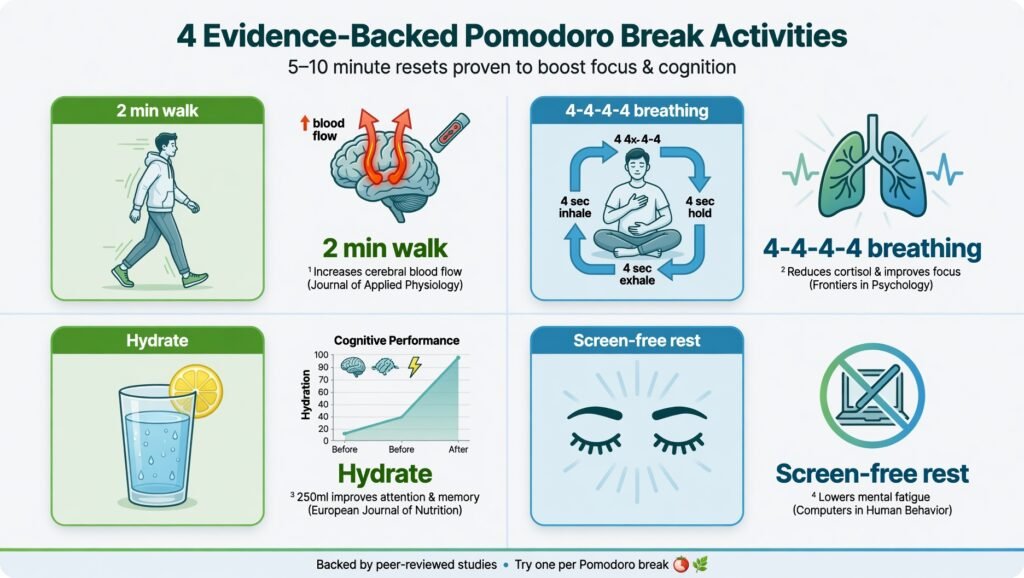
⚡ Use Your Breaks Intelligently
Most people waste their Pomodoro breaks. Don’t.
Evidence-backed break activities:
- Micro-walk (even 2 minutes) — improves blood flow to the prefrontal cortex
- Box breathing (4-4-4-4 pattern) — activates the parasympathetic nervous system and resets cortisol
- Hydration — even mild dehydration (1–2%) degrades cognitive performance measurably
- Avoid screens entirely — your visual cortex needs the rest
🕐 Time Your Sessions to Your Chronotype
Not everyone peaks at 9 AM. Use Session’s analytics or a simple energy journal to identify your peak cognitive window — then schedule your hardest Pomodoro blocks there.
📵 Stack Your Focus App With a Website Blocker
Apps like Freedom, Cold Turkey, or BlockSite pair perfectly with any Pomodoro app to create a digital fortress during your work intervals. Willpower is finite. Systems are not.
How to Choose the Right Pomodoro App for You
With seven strong options on the table, here’s a simple decision framework:
- You’re a student → Start with Pomofocus (free, instant) or Forest (motivation + accountability)
- You’re a freelancer → Use Toggl Track for billing + Focus To-Do for task management
- You’re a remote worker on Mac → Session for analytics or Flow for premium experience
- You’re an Apple power user → Be Focused for seamless ecosystem integration
- You want all-in-one simplicity → Focus To-Do wins across the board
The best Pomodoro app for productivity is ultimately the one you’ll actually use consistently. Start simple. Build the habit. Upgrade the tool as your needs grow.
The Bottom Line
Procrastination doesn’t respond to motivation — it responds to structure.
The Pomodoro Technique gives you that structure. Utilizing the best pomodoro apps for productivity makes that structure automatic, trackable, and genuinely rewarding to maintain.
Pick one app from this list today. Not tomorrow. Today.
Set your first 25-minute session. Close every tab you don’t need. Start the timer.
That single decision — repeated daily — is the difference between people who talk about being productive and people who actually get things done.
Your best work is waiting. The clock is ticking. Start now.
Found this useful? Share it with a friend who’s still using their phone’s basic clock for Pomodoro sessions. They deserve better.
To boost your focus even further, you can combine these apps with binaural beats for memory.


Comments are closed.